
Settings, fonts, and shortcuts
Settings are organized into dedicated pages for databases, terminals, Agents, and MCP, covering appearance, remote editing, Notes, LLMs, logs, and updates. Test changes outside a critical session. A font or shortcut issue may not damage data, but it can change what you see or which action fires.
Set language and appearance
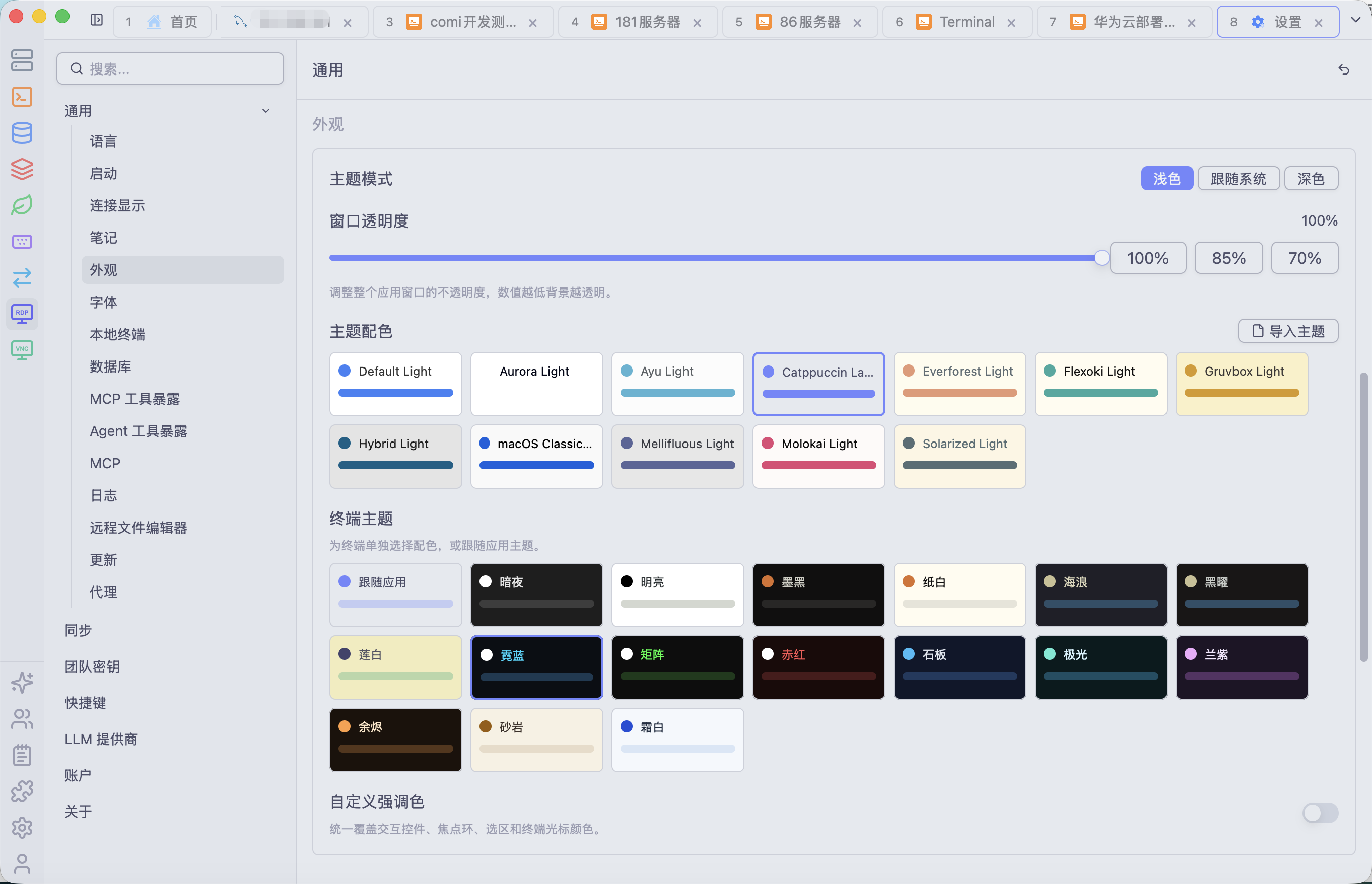
Choose language, start page, light/dark theme, or system-following behavior. Appearance settings also include window opacity, theme palettes, a custom accent color, and theme importing. Application and terminal themes provide consistent colors for inputs, popovers, scrollbars, selections, and terminals. Import themes only from trusted sources and verify text, focus, and selection contrast in the workspaces you use.
Configure application, SQL, table-preview, and terminal fonts separately. Custom font files support .ttf, .otf, .ttc, and .otc; verify licensing and integrity.
Missing glyphs trigger fallback or unreadable output. Prefer monospaced fonts for SQL and terminals and recheck charts and highlighting after theme changes.
Connection display and sorting
The "Connection Sorting" option under Settings → General → Connection Display controls the connection list order: it defaults to natural name order (numeric segments such as IP addresses compared by value, case-insensitive) and can be switched to "Most Recently Used" (LRU). The setting applies to the Home connection list, Redis/MongoDB workspace tabs, and the persistent sidebar connection tree, taking effect immediately.
Sorting changes display order only and never modifies connections; do not rely on it as a substitute for naming or grouping.
Tune database and table behavior
Database preferences include connection opening, SQL auto-save, maximum rows, table row height, and large-text handling. Maximum rows limits preview, not server permission; increasing it costs memory and network. Auto-save does not commit transactions.
Display density never changes stored field values. Use the appropriate editor for long or binary content and inspect SQL Preview before submit.
Configure terminal and remote editors
Choose a local Terminal profile or trusted custom program. Terminal-scoped options (fonts, completion, selection copy, right/middle paste, multiline paste confirmation, dangerous-command warnings) live in the terminal tool sidebar's Settings panel rather than the app Settings page; paste confirmations sit in its Safety section, and the paste dialog also offers Open Settings and Don't Ask Again. Understand bracketed paste and clipboard risk before reducing safeguards.
Select a built-in or extension-provided remote editor, its executable, and automatic upload behavior. Keep remote-conflict checks enabled.
Configure Notes, LLM, and MCP
Choose the Notes folder without assuming old files move automatically. Manage LLM Provider keys, URLs, models, and defaults; confirm no active Agent depends on a provider before deletion.
MCP settings control Temporary/Persistent mode, permission profile, and Tool Exposure. Reconnect clients and inspect the new tool list after any change.
Customize shortcuts
Shortcuts are grouped for global actions, terminal, database, table, remote editing, Redis, and Notes. Bindings can be cleared, and system-wide hotkeys can be disabled entirely (disabling the global hotkey releases the registered system-level combinations). The default shortcut for closing the active tab is Cmd/Ctrl+Shift+W, rebindable in settings. Search existing bindings before changing them, and account for operating-system and input-method interception. Avoid easy single-key bindings for destructive actions.
If a shortcut fails, check focus, platform, input method, and conflicts before resetting or choosing another combination.
Inspect logs and updates
Settings exposes the log path, automatic checks, and manual update. Logs may include paths, hosts, and error context and must be redacted before sharing. Save work, finish transactions and transfers, and verify extension compatibility around every update.